Case study · table pre-order
Alexela Kontserdimaja: pre-order a coffee table before the show
Alexela Kontserdimaja (kontserdimaja.ee) is one of the Baltic region’s largest concert halls – tickets, cafés and visitor info in one place. The biggest build was the coffee-table pre-order system: visitors pick an event, browse the menu and complete a table order online before the show.
Goal: fewer interval queues, a guaranteed seat and meal/drink, a clear 27-hour rule, and a primary CTA findable from the homepage.
Client
Tallinna Kontserdimaja AS
Sector
Concert hall / visitor experience
Scope
Design and development (table pre-order)
Web
Starting point
A concert experience does not end at the ticket: intervals create café queues and visitors cannot be sure a table or meal is available. Phone- or counter-based pre-orders do not scale for large events.
The solution had to connect event, menu and table order into one self-serve flow – visible on the website, not in a separate channel.
Project goals
- Pre-order in the first viewport – announcement + Book a table CTA.
- Clear value – why to pre-order (time, queues, certainty) and the 27-hour rule.
- Self-serve booking – event, time, guests and café in one booking.
- Menu with a cart – food/drinks by category with Add to cart.
What we delivered
- Coffee-table pre-order system: event → time → guests → café → menu (/en/book-a-table/)
- Homepage and header CTAs + announcement bar so ordering is findable
- Explainer block on why pre-ordering is easier (27-hour rule, benefits)
- Café choice with free-table info and menu Add to cart logic
- Multilingual support (ET/EN) with the same booking logic
Outcome
Visitors can pre-order a table online before the show: less waiting, a clearer next step after the ticket. Live: book a table and kontserdimaja.ee.
How the solution works
Four full-section frames focused on the pre-order journey from the homepage to the menu cart.
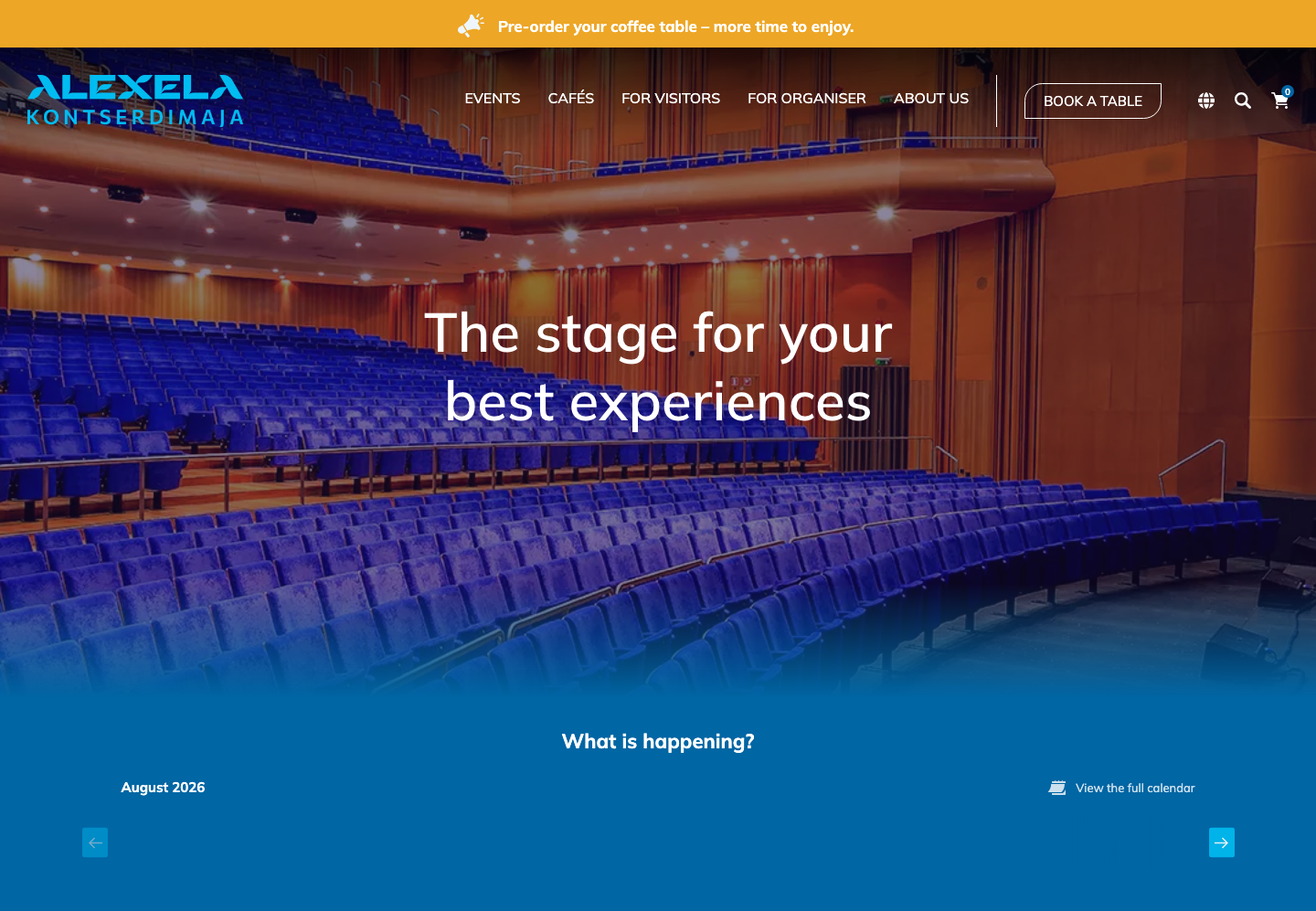
First viewport: experience + "Book a table"
Goal: Pre-ordering is visible in the first viewport The yellow announcement bar and primary header CTA lead to coffee-table pre-ordering – not buried in a menu. Visitors immediately see that seating service sits beside tickets.
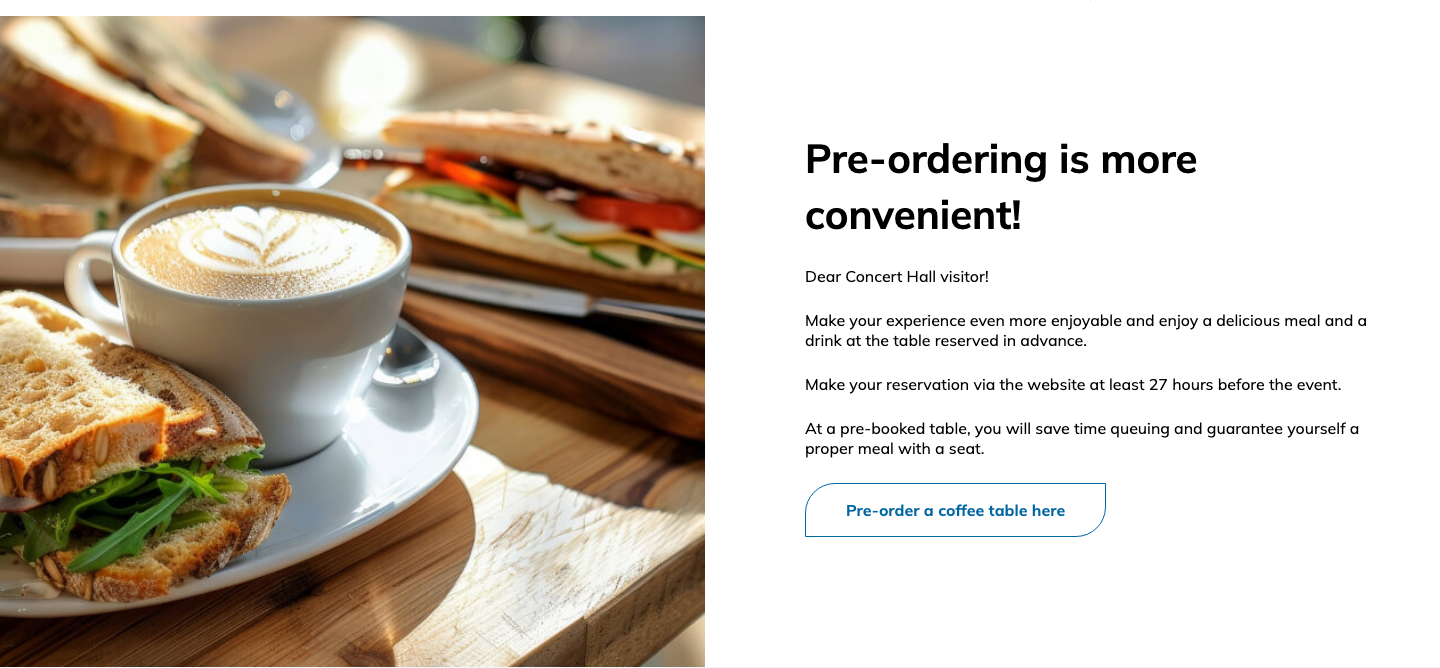
Value prop: pre-ordering is easier
Goal: Explain why to pre-order (time, queues, certainty) The section explains the 27-hour rule, skipping queues and a guaranteed meal/seat. The CTA sends visitors straight into the booking flow.
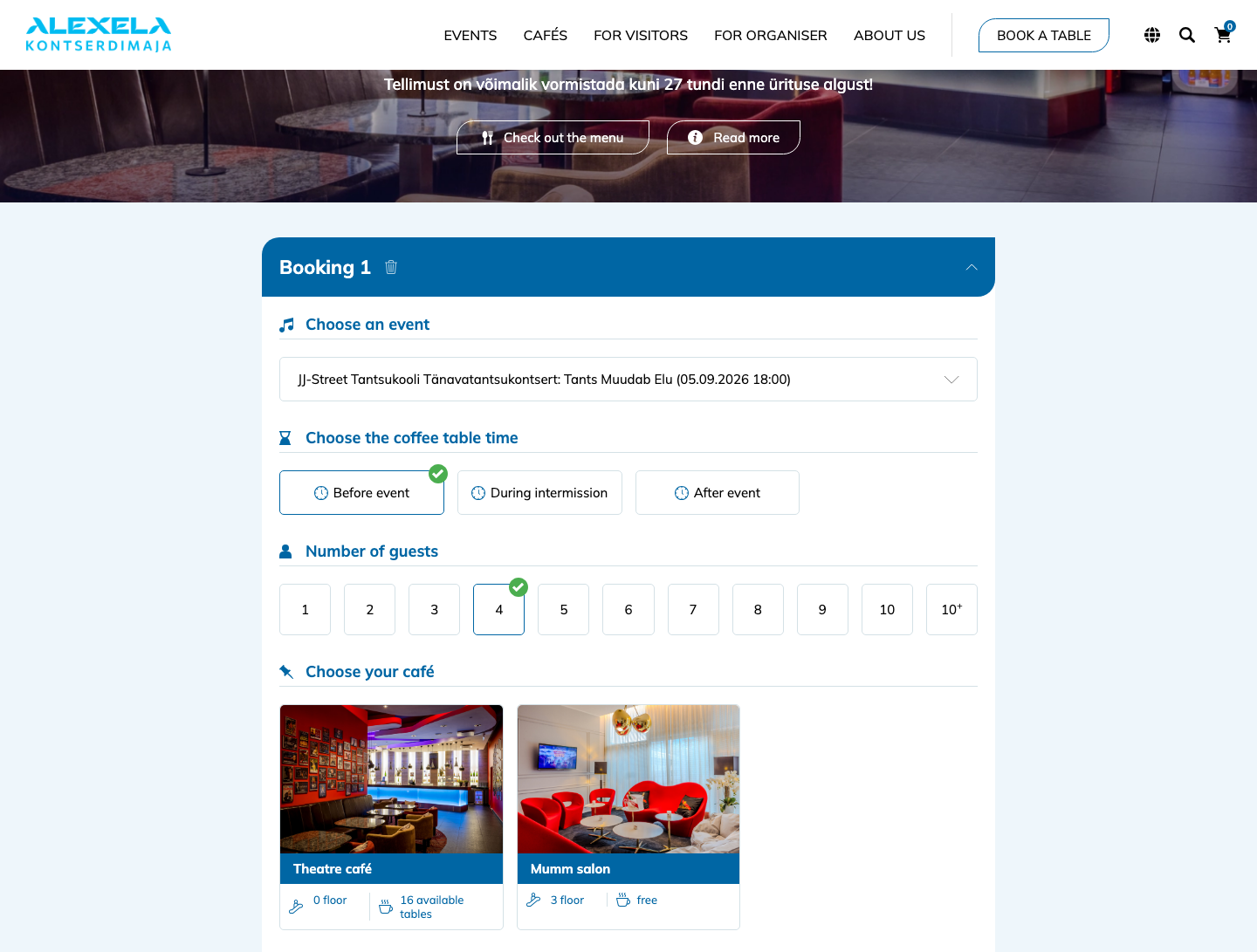
Booking: event → time → guests → café
Goal: The order ties event, time, guests and café together After choosing an event the real flow opens: serving time (before/interval/after), guest count and café cards with free-table info (e.g. “16 free tables”). That is the core of the system – not an empty dropdown.
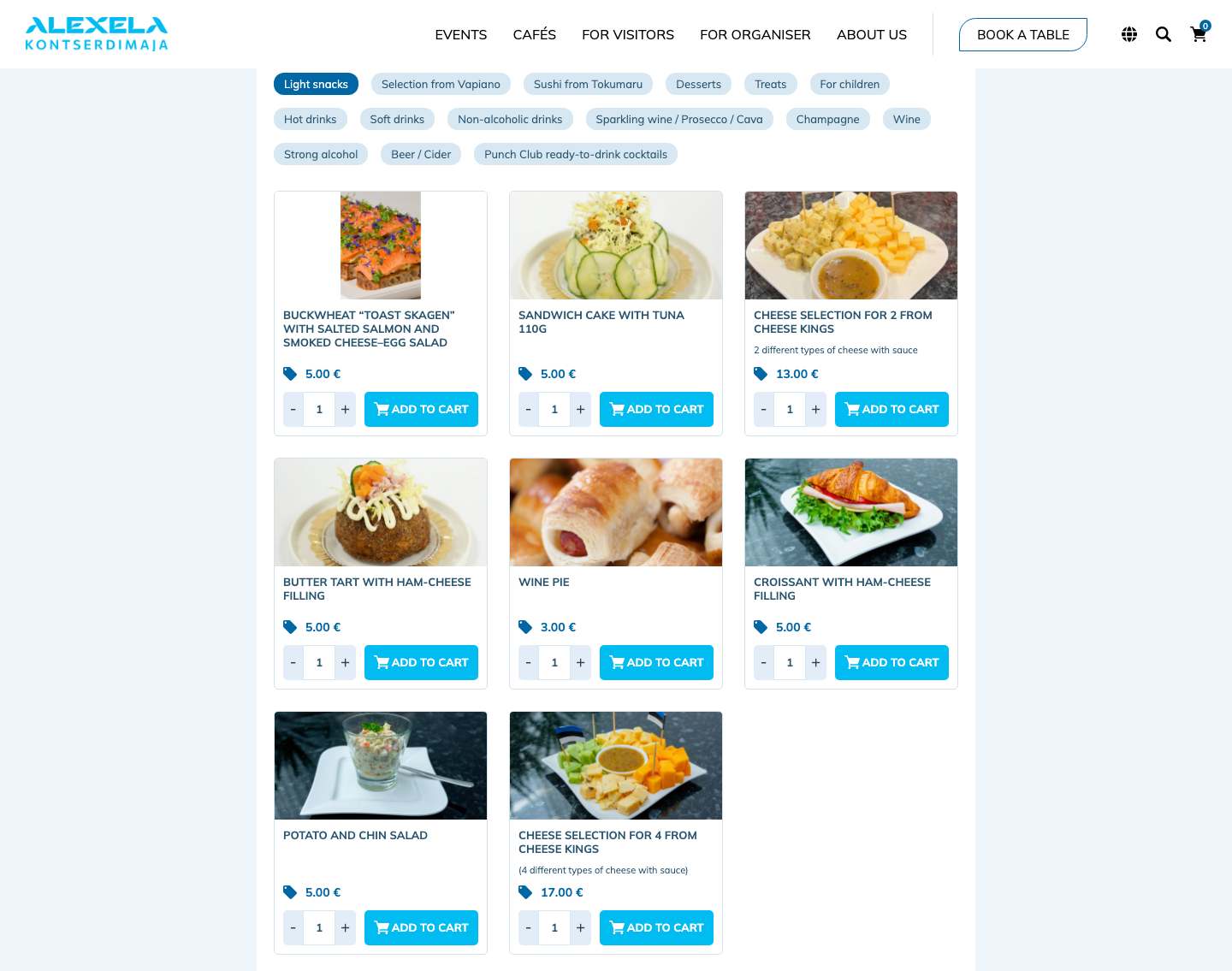
Menu: categories + "Add to cart"
Goal: Food and drinks are cart-based, not a separate PDF Inside the same booking, food/drinks are chosen by category (e.g. light snacks), with price, quantity and Add to cart on each card. Pre-ordering ends in a concrete purchase, not only a table hold.
Need a similar booking or pre-order flow?
We build sites where the main action (booking, order, enquiry) is findable in the first viewport and completes without a phone call.